





A: That's super easy to fix.
Send an email to support@gimbalgame.com and include some identifying information about your order, like the name or time or associated email address.
Yes! Gimbal is now live on Steam.
IndieGameStand.com has Steam keys for existing customers. Just visit your Game Wallet.
IndieGala.com is working on offering Steam keys, and they are coming soon.
For other customers, just email support@gimbalgame.com, and include your Gimbal Key in the message.
A: Try reinstalling with all the pre-requisites first.
Next, test your ability to run XNA games with this program:
www.gimbalgame.com/downloads/XNAReqsTest.zip
Your screen should look like this.
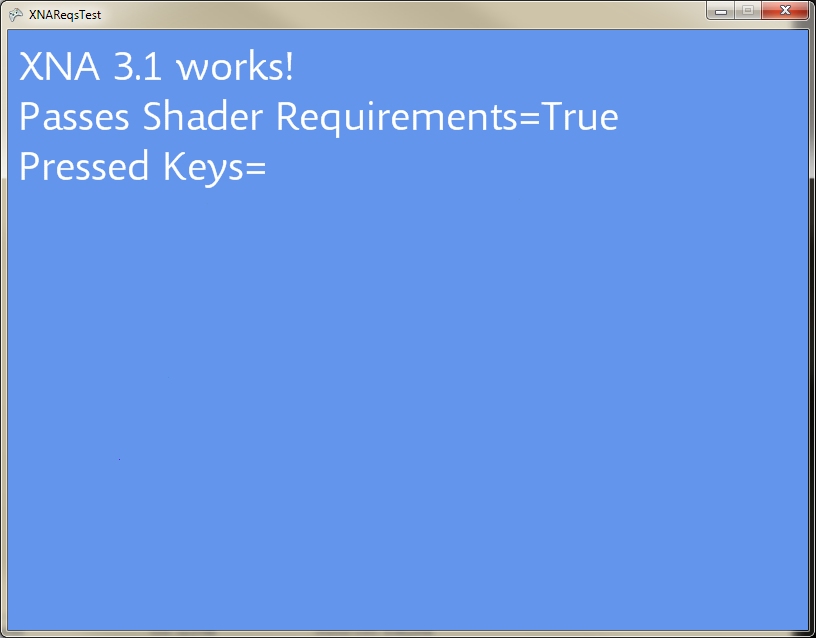
If Gimbal is still crashing, email support@gimbalgame.com.
A: Gimbal has a rigorous physics model. A small asymmetry in your design is causing an imbalance. You can trim out your ship by making small adjustments to your engines and/or fins. Your ship could also be aerodynamically unstable, which can be fixed by adding or moving fins to the rear.
To tweak a position of a part, select it and press the arrow keys.
For fine rotations, hold the SHIFT key while rotating.
A: Controls are unique to each ship. To change from Arrows to WASD, start editing the ship in the Designer, and then use the "Convert to WASD" function near the top of the screen.
New parts you place on your ship will have default (arrow key) bindings. To change those defaults, go to "Settings>Designer Defaults".
Possible Causes
> UDP Port 11611 isn't open on the server side
> The server threw an error in the game loop and is a zombie
> Connection timeouts are just a few seconds. Sometimes a refresh simply times out.
A: Yes. The Gimbal installation includes a dedicated server executable.
To start with, configure your "Server Options" by running Gimbal proper and then hosting a game. Be sure to set a Server Name. When you host, your options are saved in Gimbal/ServerOptions.xml. You May exit Gimbal.
Run Gimbal/GimbalServer.exe to start the stand alone server. It will run in a console window, and it will suck in the options from ServerOptions.xml. Make sure port 11611 (UDP) is open for your machine, and you server is live.
Indeed there is.
Settings>Advanced Settings
[x] Flight Direction Indicator
A: A customer has reported fixing this problem by updating to the latest .Net 4 framework.
http://www.microsoft.com/en-us/download/details.aspx?id=17851
A: It's a bug in XNA, but we can resize the Gimbal window manually and get around it.
First, make sure your screen has a native resolution of at least 1024x768. It is the minimum that Gimbal requires to display all the screen elements.
In the Gimbal installation directory, open ClientOptions.xml with Notepad. Find "XResolution" and "YResolution" and change them to the following values:
<XResolution>1024</XResolution>
<YResolution>768</YResolution>